


How to Navigate the JLC SMT Parts Library Like a Pro
 View
View
Navigating thousands of surface-mount components can be overwhelming. The JLCPCB SMT Parts Library is a powerful tool, but like any powerful tool, it requires some finesse to master. If you are tired of scrolling through endless generic resistors, here is how to streamline your sourcing workflow.
Step 1: Start with Specificity
The initial search is where many go wrong. Avoid generic terms like "capacitor" unless you enjoy sorting through 50,000 results. Instead, use specific attributes or, ideally, the manufacturer's part number if available. If you are looking for a basic generic component, use the library’s categorization structure first rather than the global search.
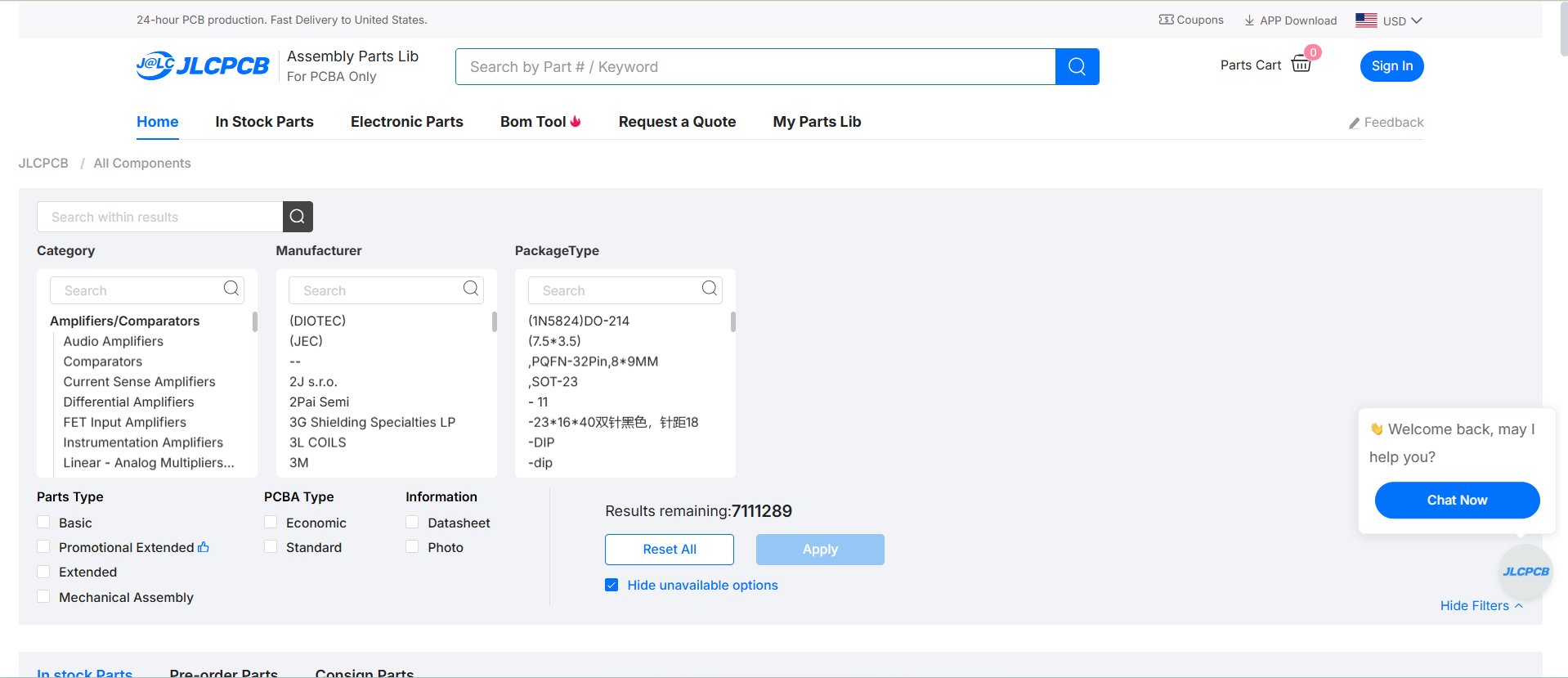
The starting point: Use specific keywords or Part Numbers in the main search bar to avoid over-saturation.
Step 2: Master the Parametric Filters
Once you have a baseline result (e.g., all 3.3V regulators), it's time to slice and dice. The left-hand sidebar is your filter command center. Experienced users immediately use these parametric filters.
Define your requirements precisely: select your desired package (e.g., SOT-23, SOIC-8), output current, and tolerance. This instantly reduces the field from hundreds of options to the five or ten that actually fit your design constraints.
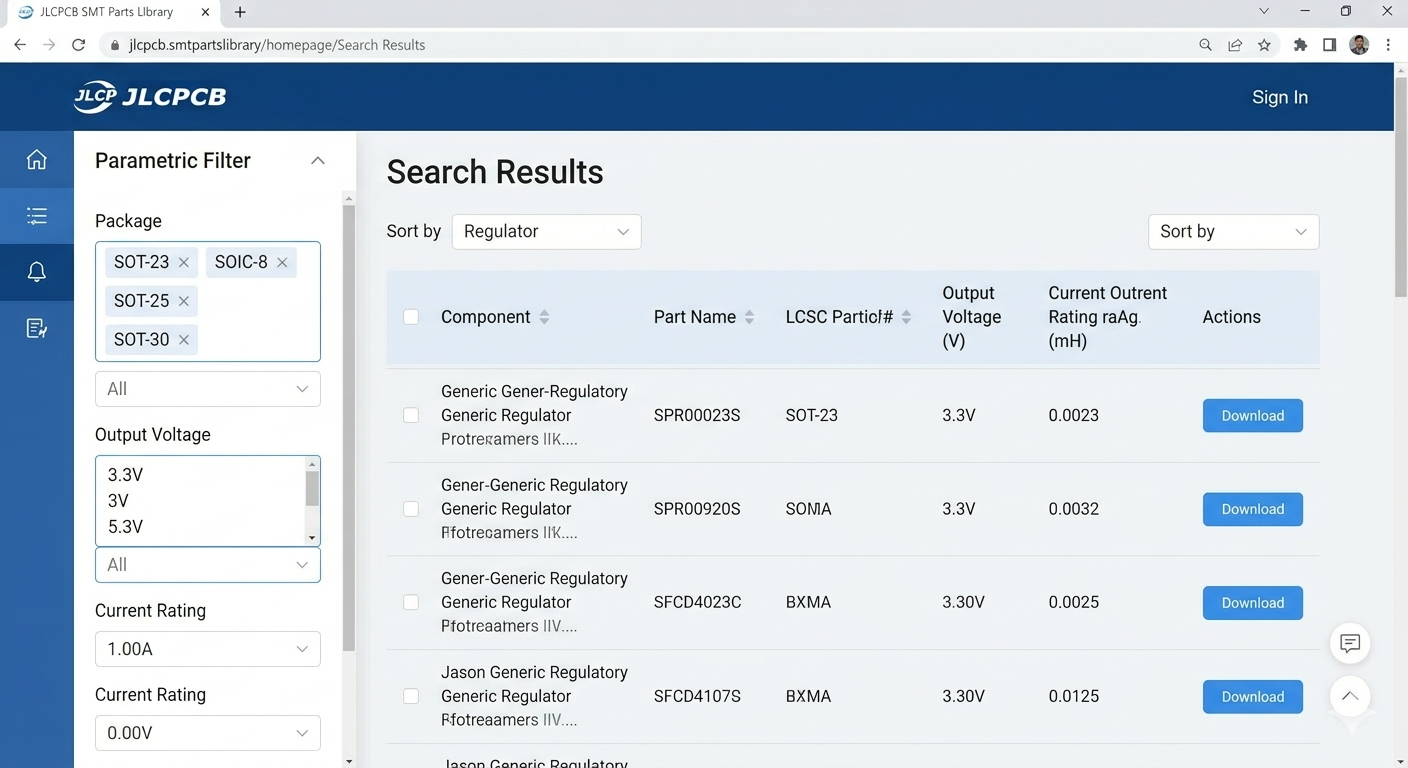
Use the Parametric Filter sidebar (left) to drill down by package, voltage, or current.
Step 3: Verify and Select (Don't Guess)
The final critical step is verification. Before clicking "Select," confirm three things on the component detail page:
- 3D Model/Footprint: Use the 3D viewer to confirm the footprint matches your PCB layout.
- Datasheet: Always click the datasheet link to verify electrical characteristics.
- Stock Status: Ensure there is sufficient 'In Stock' quantity for your production run.
Pro tip: Favor components listed in the "Basic" library when possible, as they are pre-loaded on the SMT machines and save you setup fees.
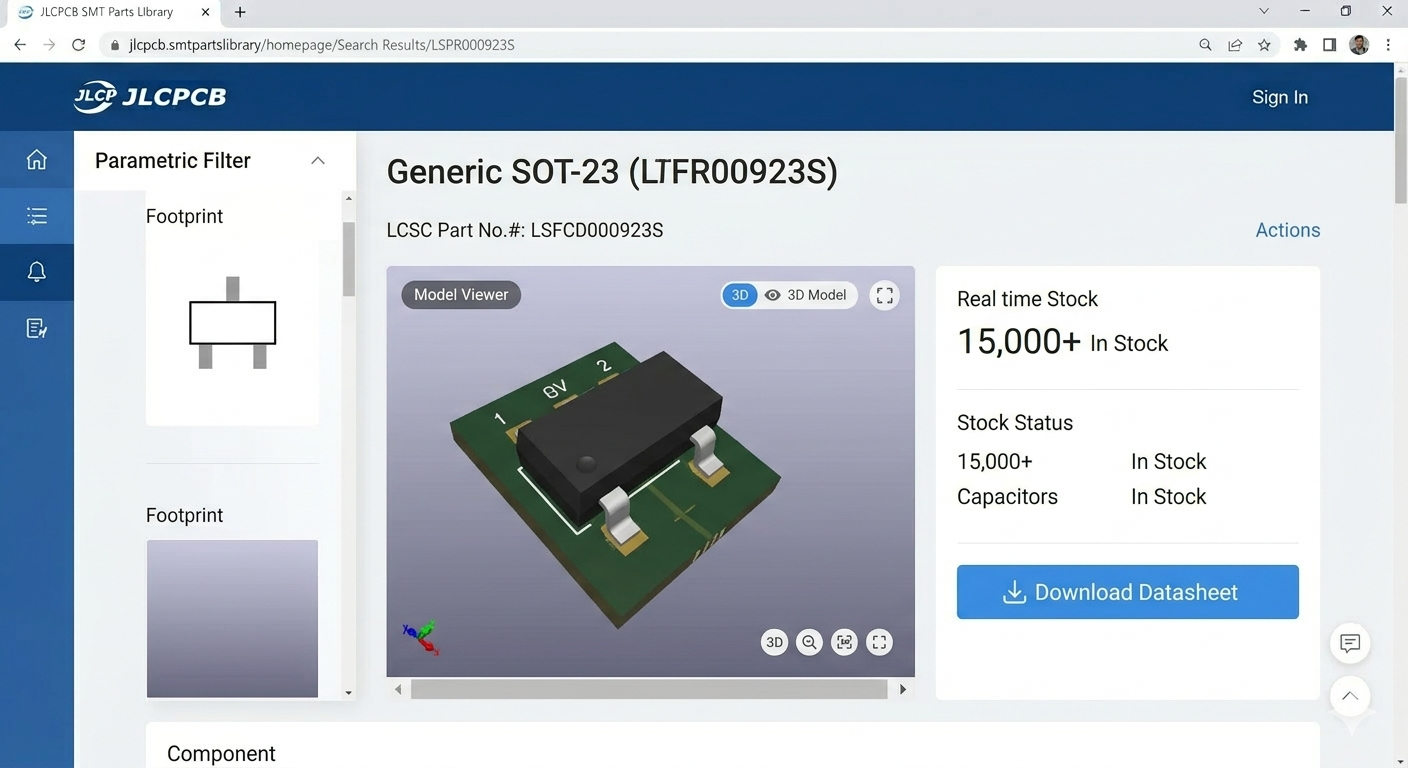
Before final selection, always verify the 3D model, check the stock status, and download the datasheet.
#Built with JLCPCB##PCB#
 #BuiltwithJLCPCB#
#PCB#
#BuiltwithJLCPCB#
#PCB#
Sign In Or Register Comment after
No comments yet. Be the first to comment!