


Kalman Filter in for State Estimation in UAV
 View
View
In my previous guide, I showed you how to design a high-redundancy Flight Controller (FC) using 2 IMUs and 2 Barometers. But having multiple sensors is useless if the "brain" doesn't know how to merge their data. If one IMU is vibrating and one Barometer has a pressure spike, which one should the drone trust?
This is where the Extended Kalman Filter (EKF) comes in. It is the gold standard for state estimation in modern UAVs.
What is EKF and Why "Extended"?

A standard Kalman Filter works perfectly for linear systems. However, drones are non-linear; rotating a drone by 90 degrees involves trigonometry (sin, cos), which creates curves, not straight lines. The Extended part of the EKF uses a mathematical trick called "Linearization" (usually via a Jacobian matrix) to handle these complex movements.In your custom FC, the EKF performs three main tasks:
- Estimation: It guesses the drone's position, velocity, and orientation (Attitude).
- Prediction: It uses your IMUs (Accelerometer and Gyroscope) to predict where the drone will be in the next millisecond.
- Correction: It compares that prediction with "Truth" sensors like your Compass, GPS, and Barometers to fix any errors.
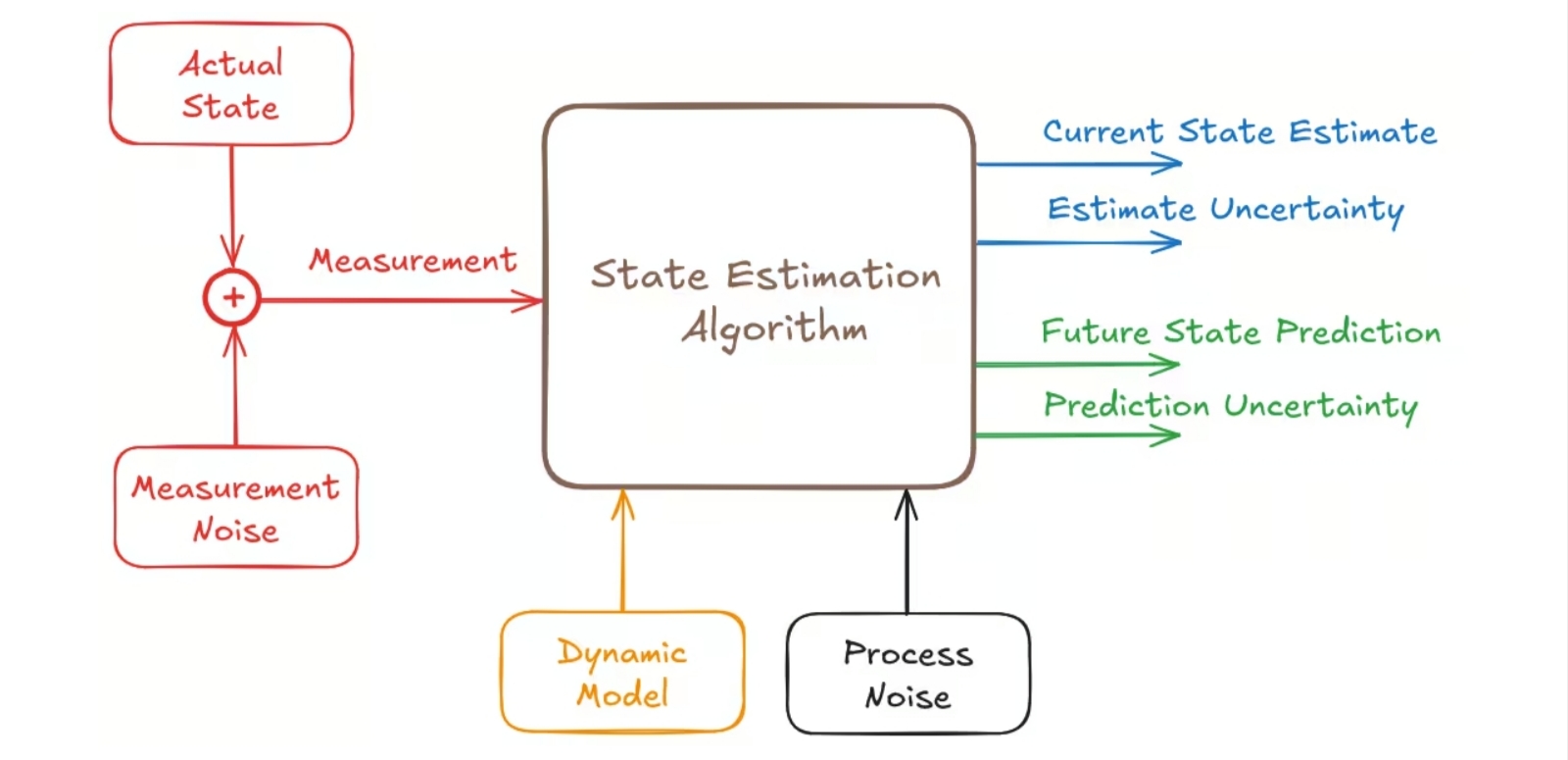
This images shown the basic loop of a Kalman Filter: Predict (Time Update) and Correct (Measurement Update).
Managing 2 IMUs and 2 Barometers
When you have a redundant setup like the one I designed, the EKF becomes a "Manager." Most advanced firmwares (like ArduPilot or PX4) actually run multiple EKF instances simultaneously.
IMU Blending
The EKF calculates the Innovation for each IMU. Innovation is simply the difference between what the IMU says and what the other sensors (GPS/Baro) expect.
- If IMU1 has high vibration, its Innovation Variance will increase.
- The EKF will automatically "weight" the data more toward IMU2.
- This prevents a single sensor failure from causing a "flyaway."
Barometer Voting
With 2 Barometers, the EKF compares the pressure altitude. If one Barometer is placed near a hole in the frame and experiences "wind buffeting," the EKF detects the noise and relies on the cleaner Barometer.
Key Parameters for Your Code
When programming your EKF, you need to define Noise Density for your specific hardware. For example, if you are using an ICM-42688-P or MPU6000, you should look at the "Spectral Noise" section of the datasheet.
| Parameter | Recommended Value (Standard Units) |
|---|---|
| Gyro Noise | 0.005 deg/s/sqrt(Hz) |
| Accel Noise | 0.5 m/s/s |
| Baro Noise | 2.0 meters |
| EKF Period | 10ms |
If you use a decoupling capacitor like a 22uF or 100nF near the IMU power pins, you can lower the "Noise" value in your EKF code, making the drone much "snappier" and more stable.
This images shown the Noise Density table in an IMU.

Implementation Resources
To truly master EKF for your project, I highly recommend studying these professional resources:
Technical Documentation
ArduPilot EKF3 Wiki: The best practical guide on how EKF handles multiple IMUs.
Website: https://ardupilot.org/dev/docs/ekf.html?hl=id-ID
PX4 Estimation Guide: Excellent explanation of the 24-state EKF.
Website: https://docs.px4.io/main/en/advanced_config/tuning_the_ecl_ekf
Journals and Academic Papers
"A New Approach to Linear Filtering and Prediction Problems" by R.E. Kalman (1960). This is the foundational paper.
Sign In Or Register Comment after
No comments yet. Be the first to comment!